

By Nick Hoffmeyer, Head of Marketing at Bambi · Updated November 9, 2026 · 12 min read
Quick answer: the best NEMT dispatch and billing software is the one that fits how your trips come in and how you get paid. Before you look at any platform, write down your fleet size, your brokers, your private-pay volume and the billing format each payer needs. Then judge every vendor against that list with the same questions, a demo built on your own trips, and the weighted scorecard below. On price, ask for one written all-in number for a normal month and your busiest month, with no setup fees and no annual lock-in.
Every NEMT software demo looks good. That is the point of a demo. This guide is here to help you see past it and pick the platform that will still fit your business a year from now. Yes, it is written by a vendor. We have tried to keep it fair: Bambi comes up in one short section near the end, where we also tell you what we do not do.
What Is NEMT Dispatch and Billing Software?
NEMT dispatch and billing software runs the daily work of a non-emergency medical transportation company in one system: taking trip requests and broker trips, building the schedule, assigning drivers and vehicles, tracking trips in real time, capturing proof of service (GPS timestamps and signatures), and producing invoices so you get paid. Some vendors sell these pieces separately. The best platforms do all of it in one place, so a trip is entered once and flows from booking to payment.
What to Decide Before You Book a Single Demo
Walk into demos without your own numbers and the vendor sets the agenda. Walk in with them and you set it. Spend an hour on these four things first.
1. Fleet size, today and next year
Count how many vehicles run trips on a normal day and on your busiest day. Count drivers, and note whether any share vehicles across shifts. Then write down where you expect to be in 12 months. Software priced or built for 5 vans can behave very differently at 25.
2. Broker mix
List every broker and managed care plan that sends you trips, and roughly what share of your volume each one is. This is the most important list you will make, because broker trip intake is where most of a dispatcher's day goes. If you are newer to brokers, our guide to NEMT brokers covers how the relationship works.
3. Private pay and facility work
If you take private-pay rides or contract directly with dialysis centers, senior living communities or PACE programs, you need things broker-only shops do not: online booking, card payments, facility invoicing, and a portal where facility staff can request trips. Our post on private-pay trips vs Medicare and Medicaid billing lays out how the two differ.
4. How each payer wants to be billed
For each payer, find out exactly what it accepts: a broker portal upload, an invoice, a trip log with signatures, or an electronic claim file such as an 837P. Write the format next to the payer's name. This one column saves you from the most expensive mistake in the whole process: buying software that cannot bill your biggest payer the way that payer wants.
Finally, rank your top three pain points: retyping broker trips, late pickups, empty miles, missing signatures at billing time, slow payments. Those three become the first things you test in every demo.
The Must-Have Checklist
Most NEMT platforms list the same features on their websites. The difference is how well each one works on your real day. Ask to see every item below working live, not described on a slide.
- Broker trip import. For each broker on your list: is it a live API connection where trips arrive automatically, or a file import where someone downloads the broker's trip file and uploads it? Both can work. You need to know which you are buying, broker by broker, and what syncs back (trip status, cancellations, completed-trip data).
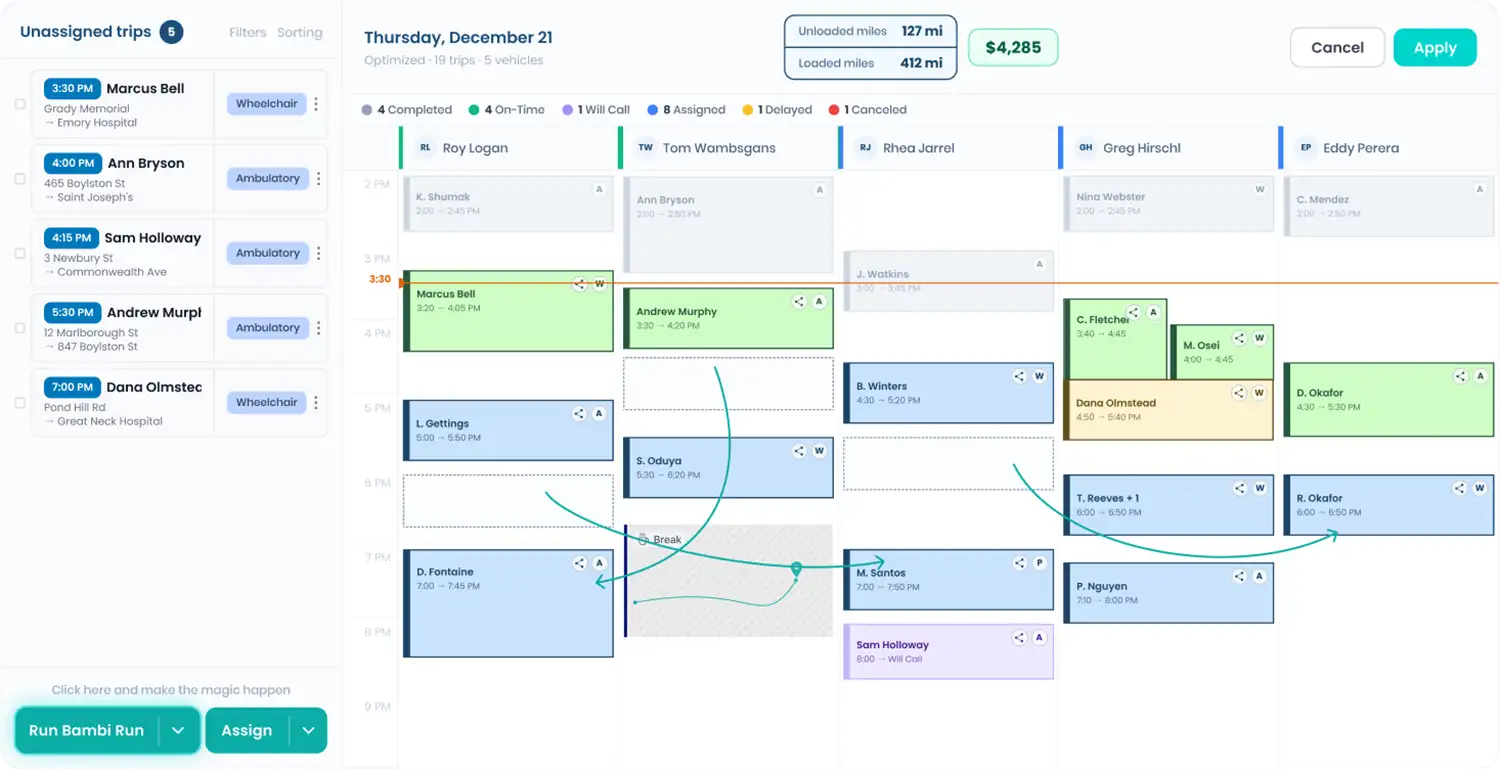
- Scheduling and routing. Automatic trip assignment that respects pickup windows, appointment times, rider mobility needs (ambulatory, wheelchair, stretcher) and vehicle capacity, plus a fast way for a dispatcher to override any assignment. Ask what happens when a driver calls out at 5 AM.
- Dispatch and live tracking. One screen showing every trip and every vehicle, with live locations and a simple way to reassign a trip mid-day. See how real-time tracking improves NEMT service.
- Driver app. Navigation, trip status updates with timestamps and GPS location, rider signatures, and whatever your payers require for proof (odometer readings, vehicle inspections). Ask whether it keeps working with no cell signal and syncs when the signal returns. Rural routes depend on it.
- Billing and invoicing. What exactly does the billing side produce from completed trips? Invoices, payment tracking, accounting exports, card payments for private pay, electronic claim files? Match the answer to your payer column.
- Reporting. On-time performance, trips by payer, no-shows and cancellations, miles and revenue per vehicle, without exporting to a spreadsheet. Ask them to build one report live.
- Security and a signed BAA. The vendor should sign a Business Associate Agreement with you. Every user should have a role that limits what they can see, and every change to a trip should be logged with who made it and when. That audit trail is what protects you in a payer audit.
How NEMT Software Is Priced
You will run into four pricing models:
- Flat per active vehicle: you pay for the vehicles that actually run. Easiest to budget, and it grows with your fleet.
- Per vehicle with tiers: a base price, with features held back for higher plans. Read what is locked before you compare.
- Per trip or usage based: cheap when you are slow, expensive as you grow. Model it on your busiest month, not your average one.
- Custom quote: "contact us for pricing." Usually means setup fees, an annual contract, or both.
Whatever the model, ask these in writing:
- If it is per vehicle, what counts as a billable vehicle? Every vehicle in the account, every vehicle with a driver assigned, or only vehicles that actually ran trips?
- What is my all-in monthly cost in a normal month and in my busiest month? One number each.
- Are any features sold separately: billing, the driver app, facility booking, reporting, premium support?
- What is the price on January 1? Introductory and promotional rates often revert.
Our post on NEMT software pricing models goes deeper on each structure.
Questions to Ask Every Vendor
Ask every vendor the same questions and write the answers down. The goal is to compare platforms on the same terms, not on whoever gave the best demo.
Contract and setup
- What is the contract length: month to month, annual, multi-year? What does it cost to leave early?
- Are there setup, onboarding, training, data migration or broker integration fees?
- How long from signing to my first real trips, and who is the named person helping me get there?
- What does each of my brokers need from me to turn on the connection, and how long does that usually take?
Billing output
- What claim or invoice formats does the software produce today? Not on a roadmap. Today.
- For each of my payers, show me the output it would send.
Your data
- Can I export all of my trips, riders, drivers and billing history in a standard format at any time?
- If I leave, how do I get my data, and is there a fee?
Support
- What are your support hours, and in which time zone? Is support included in the price?
- Who answers when something breaks at 6 AM, and do they know NEMT?
More on that last one in our post on technical support options for NEMT software.
Run the Demo With Your Own Trips
A canned demo shows software at its best. Bring a real day instead and ask the vendor to:
- Import a day of your actual trips, including at least one broker file.
- Build the schedule automatically, then show you what it decided and why.
- Cancel a trip and add a same-day request, and watch how the schedule adjusts.
- Complete a trip in the driver app, including a signature, and show the record it leaves behind.
- Turn completed trips into the billing output for your biggest payer.
- Pull an on-time report for that day.
If a vendor cannot do this in a 30-minute call, it will not get easier after you sign. Then ask for two current customers who run a fleet your size with your brokers, and ask them how the first month really went. For the buyer's side of a live demo, listen to how to demo NEMT dispatch and scheduling software.
Red Flags
- "We integrate with every broker" with no broker-by-broker list showing which connect live and which by file.
- Billing that cannot be shown. If the billing output for your payers is not in the demo, assume it is not in the product.
- Roadmap features sold as live. "That is coming next quarter" is not a feature you can run trips on.
- No signed BAA. If a vendor will not sign one, stop there.
- Pricing that is not in writing. A verbal quote with fees to be "worked out later" usually gets worked out in the vendor's favor.
- An annual contract on day one. A vendor confident in its product does not need to lock you in.
- No clean data export. If you cannot get your data out, you are not a customer, you are a hostage.
- No references. A vendor that cannot connect you with a customer your size is telling you something.
The 10-Point NEMT Software Scorecard
Score each vendor 1 to 5 on each row, multiply by the weight, and add it up. Adjust the weights to your top three pain points. The highest total is not automatically the winner, but a low score on a weight-3 row should end the conversation.
| What to score | Weight | A 5 looks like |
|---|---|---|
| Broker intake | 3 | A broker-by-broker list: live connection or file import, and what syncs each way |
| Scheduling and routing | 3 | Your real day scheduled live, with a clear way to override |
| Billing output | 3 | Shown live in the format each of your payers requires |
| Security and BAA | 3 | Signs a BAA, role-based access, full audit trail |
| Dispatch and tracking | 2 | Every trip and vehicle on one screen, easy same-day changes |
| Driver app | 2 | Timestamps, GPS, signatures and inspections, even offline |
| All-in cost | 2 | One written number for a normal month and your busiest month |
| Contract and exit | 2 | Clear term, clear exit cost, full data export |
| Go-live and support | 2 | A specific timeline, a named person, support hours that match yours |
| Reporting | 1 | On-time, no-shows and revenue per vehicle without a spreadsheet |
Where Bambi Fits (the Short, Honest Version)
Since you are reading this on our blog, here are our own answers to the questions above, so you can score us like anyone else.
- Pricing: $69 per active vehicle per month. Active means the most vehicles you had out on trips on any single day last month, so your busiest day sets the bill and unused vans cost $0.
- Contract and fees: month to month. No setup, onboarding or broker integration fees. Every feature included, no tiers and nothing locked behind a higher plan.
- What it covers: Run Bambi Run for one-click scheduling and routing, Fleet HQ for dispatch and live tracking, the Driver App for iOS and Android, and Get Paid for broker-ready invoices and payment tracking.
- Brokers: connected to brokers including MTM, Verida, Alivi, Modivcare, Call the Car and Provide A Ride through live API integrations, with file templates for others. The integrations page shows the connection type for each.
- What it does not do: Bambi does not create 837P or CMS-1500 claim files. If a payer requires an electronic claim file, you will need a separate tool or billing service for that payer. Better you hear it here than three weeks after you sign.
- Security: our Business Associate Agreement and security page are public.
- Support: support@bambi.health, 9 AM to 6 PM Eastern, Monday to Friday, typically with a same-business-day reply.
- Proof: 800+ NEMT owners and operators, a 5.0 rating on G2, and the NEMTAC 2025 Innovation in NEMT Award. Read their stories on the customer love page.
Whatever you choose, use the same questions and the same scorecard for everyone, including us. To put a yearly dollar figure on empty miles, no-shows and retyped broker trips first, try the free NEMT operational cost estimator.
FAQ
What is the best NEMT dispatch software?
There is no single best NEMT dispatch software for every operator. The best one for you connects to the brokers that send you trips, schedules your real day automatically, produces the billing output your payers accept, and fits your budget in both a normal month and your busiest month. Build your broker and payer list first, then score each vendor with the same questions.
What is the best billing software for NEMT?
Choose billing that works from the same trip record as dispatch, so completed trips become invoices with proof of service attached and payments are tracked in one place. Confirm it produces the exact format each of your payers requires today, not on a roadmap.
How much does NEMT software cost?
It depends on the pricing model: per vehicle, per trip, per user or a flat tier, plus any setup, integration or add-on fees. Ask every vendor for a written all-in monthly number for a normal month and your busiest month, and ask exactly what counts as a billable vehicle. Bambi is $69 per active vehicle per month with every feature included and no setup fees.
Is there NEMT software for small businesses?
Yes. Look for software with no minimum fleet size, no setup fees and month-to-month billing, so a one- or two-van operation pays only for what it runs. Bambi bills on active vehicles, so unused vans cost $0.
Does NEMT software connect to Medicaid brokers?
Many platforms connect to brokers, but the connection type varies. Some brokers connect through a live API and others through file uploads. Ask each vendor for a broker-by-broker list before you switch.
Does NEMT software submit 837P claims?
Some platforms produce electronic claim files such as 837P and some do not. Bambi does not; it produces broker-ready invoices and payment tracking. Before you buy, list the billing format each payer requires and confirm the software produces it today.
How long does it take to switch NEMT software?
It depends on your data and your broker connections. Ask every vendor for a specific number of days to your first live trips and a named person to get you there, and plan a short overlap so no trips fall through the cracks.
About the Author
Nick Hoffmeyer is Head of Marketing at Bambi, the dispatch and scheduling platform for non-emergency medical transportation (NEMT) providers. He works with NEMT owner-operators every day on growth, SEO, and the operational systems that help fleets run more trips with less stress. More from Nick: LinkedIn
Score Bambi on Your Own Trips
Book a demo and bring a real day of trips. We will run it live, and if we are not the right fit for your payers, we will say so. Book a demo.