If your NEMT claims team is still typing the same trip data into multiple systems, you're likely losing money to denials, delays, and missed filing dates. I’d fix that by moving claim prep earlier: pull trip data from dispatch, GPS, and driver apps into one record, check eligibility and prior auth before billing, then send only clean claims.
Here’s the short version:
Manual claim work causes repeat errors (often leading to denials vs. rejections ) like wrong member IDs, bad auth numbers, missing signatures, and mismatched mileage.10% to 20% of NEMT claims are denied on first submission , and manual workflows often do worse.I’d start by mapping the full path from trip completion to payment posting so you can see where staff re-enter data.
The best first targets are usually:
Eligibility checks Prior authorization matching Trip data pull-in from dispatch, GPS, and driver records
A rules-based workflow should check:
member coverage
auth date and service level
signatures
mileage outliers
modifiers
filing deadlines
Teams that automate billing often move from 15%–20% denial rates to 4%–7% in about 90 days .
A/R can drop from 60–90 days to 15–25 days , which helps cash flow.
The main numbers I’d track are:
First-pass acceptance Denial rate Trip-to-submission time DSO Cost per denial fix - often $25 to $125 each
The core idea is simple : the trip record should be the source of truth, and the claim should come from checked data - not from staff typing things over and over.
If you want fewer denials and faster payment, this is the shift that matters most.
Map Your Current Claims Process Before You Automate It
Before you automate anything, get a clear view of how a claim moves through your business today. If you skip that step, you can end up automating the wrong work - or stacking new tools on top of a process that already has cracks. A process map shows where AI should first capture, verify, and route claims data.
List Each Step from Trip Completion to Payment Posting
NEMT claims usually move through seven steps: eligibility verification, trip documentation, coding and scrubbing, electronic submission, claim tracking, payment posting, and denial management . In many operations, those steps live in separate systems, which means authorization, dispatch, and billing are not working from the same record. As Mohammad Hossain, Chief Business Officer at Kinetik , puts it:
"NEMT program risk is frequently less about intent and more about architecture. In many programs, key lifecycle stages - authorization, scheduling, dispatch, trip execution and billing - are distributed across disconnected systems."
Write down which system owns each step, whether that's your manual or automated dispatch software , EVV records, a clearinghouse, or accounting software. Then look hard at the handoffs. Any point where staff has to rekey data into another system is a likely error spot.
Once that workflow is on paper, the next job is simple: find the fields and documents that keep breaking.
Find the Fields and Documents That Cause the Most Rework
After you map the steps, look at where staff spends the most time fixing claims instead of pushing them forward. The usual trouble spots are member IDs, prior authorization numbers, trip dates, pickup and drop-off timestamps, and loaded mileage in miles. It doesn't take much. One wrong digit in a member ID, or an authorization number that doesn't line up with the date of service, can trigger a denial.
On the document side, missing patient or driver signatures, expired or mismatched prior authorizations, and incomplete Physician Certification Statements (PCS) for wheelchair and stretcher trips are common sources of rework. These issues often show up in patterns by driver, payer, or trip type. A monthly denial report by reason code can make that plain, especially codes like CO-16 for missing information or CO-197 for missing authorization.
Those patterns usually tell you where automation should start.
Pick the Best First Automation Targets
Start with tasks that are repetitive, high-volume, and tied straight to your most common denial codes. Eligibility verification and prior authorization matching are strong first targets because mistakes here can lead to hard denials. Automate EDI 270/271 eligibility checks 24 to 48 hours before the trip and again on the date of service so you can catch coverage issues before the claim goes out.
After that, pull mileage, timestamps, and signatures straight from dispatch and driver records instead of entering them again by hand. Manual entry is behind the errors that eat up 30% to 40% of billing staff time. Focusing on those two areas first gives staff time back and sets up the rest of the workflow for higher-value automation before you move into claim submission.
sbb-itb-6bd01f8 Build an AI Workflow That Captures, Checks, and Prepares Claims Data
Once you know which steps and fields create the most rework, the next move is to build a workflow that turns trip data into one verified claim record without making staff rekey anything.
Pull Trip Data from Dispatch, GPS, and Driver Records into One Claim Record
Use the verified trip as the master trip record, then build the claim from checked trip activity. Start by pulling trip data into one claim-ready record.
Each system that touches the trip should feed that record automatically. Drivers log timestamps and digital signatures at pickup and drop-off in a mobile app. Geofencing confirms the vehicle was at the right pickup and drop-off locations. The system also maps vehicle type to the right HCPCS code on its own, so a wheelchair van trip is coded as T2002 and a sedan trip as A0100 without manual entry.
The table below shows how each data source connects to claim fields and how that data gets pulled in:
Data Source
Claim Fields Populated
Automation Method
Dispatch Logs Member ID, Service Level, Trip ID
API sync
GPS/Telematics Actual Mileage, Pickup/Drop-off Timestamps
Geofencing & Real-time Tracking
Driver Mobile App Rider/Driver Signatures, Trip Notes
Digital Capture & Cloud Upload
Broker Portals Prior Authorization Number, Broker Trip ID
API Integration
Rules Engine HCPCS Codes (T2002, A0100), Modifiers
Rules-based Logic Mapping
Eligibility Check Coverage Status, Payer ID
X12 270/271 Real-time Check
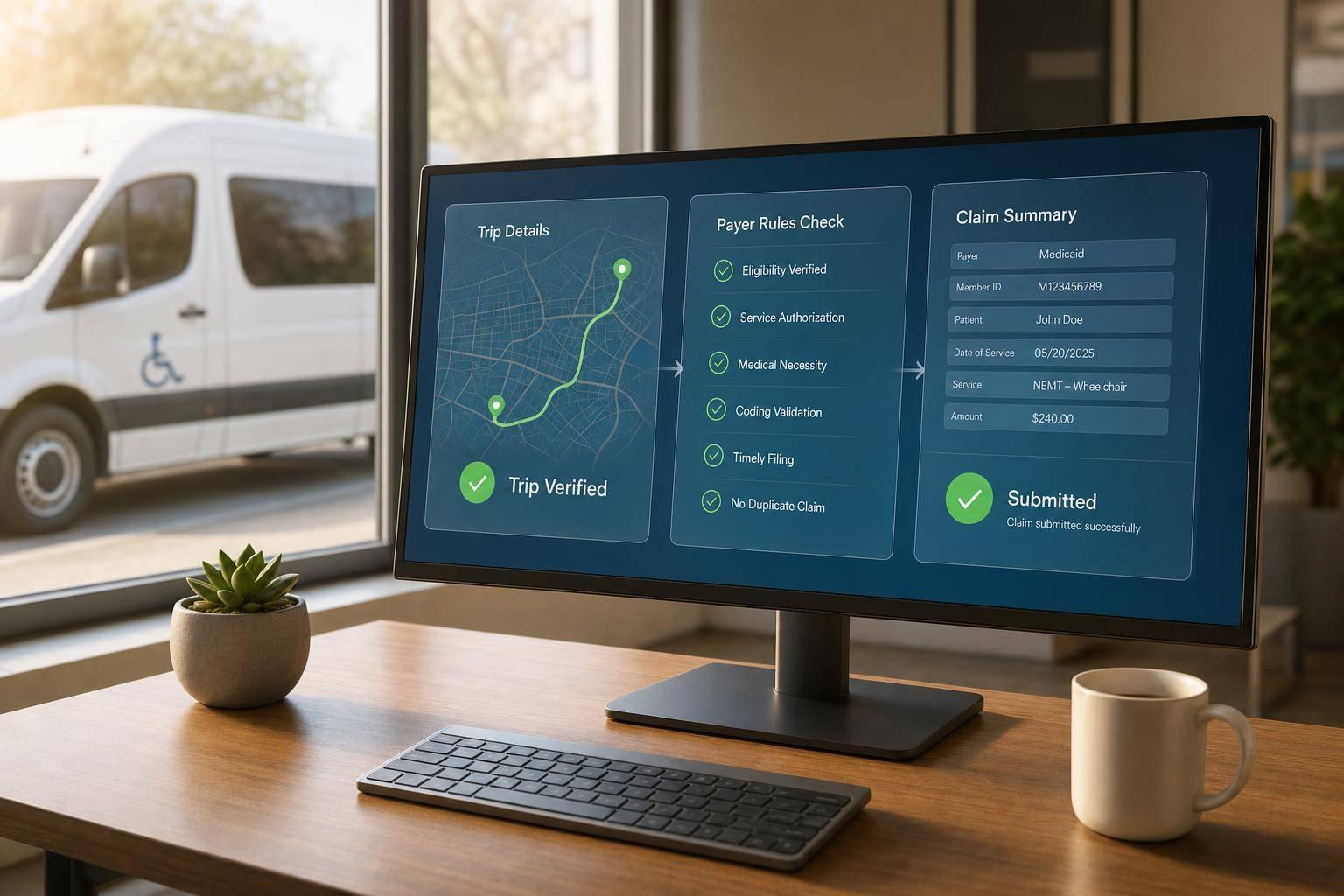
Match Each Trip to Authorization, Eligibility, and Payer Rules
Once the trip record is complete, check it against payer rules before claim creation. This is where many denials and revenue loss begin. The authorization number, service date, or payer can drift out of sync.
An authorization number may be valid but tied to a different service date. A member's Medicaid enrollment may have lapsed between booking and the actual trip. A trip may also be billed to the wrong payer if a plan switch slipped through, highlighting the differences between NEMT billing and reimbursement workflows.
AI-driven rules engines run these checks before the claim is created. Authorization matching compares the prior authorization number with the approved service type, date range, and unit limits. If something doesn't line up, the trip gets flagged before it turns into a problem claim.
Catch Missing Signatures, Mileage Outliers, and Other Billing Errors Early
Before anything moves forward, the system checks each claim against a set of rules. Are both patient and driver signatures present? Does the GPS-verified mileage fall within the expected range for that route? Is the authorization number missing or invalid?
Claims that fail are sent to a staff review queue with a clear flag that explains the issue, like a missing signature, a mileage outlier, or an invalid authorization number. Only trips that pass every check should move into claim creation and submission.
Automate Claim Creation, Submission, and Denial Prevention
Build Cleaner Claims with Standardized Billing Fields
Once a trip clears validation, send it straight into claim creation and submission. At that point, the system should generate the claim automatically from the verified trip record. It fills the required claim format - EDI 837P , CSV, or API
Modifier logic is one of those spots where the same mistakes show up again and again. A trip from a patient’s home to a hospital needs the RH modifier (Residence to Hospital ). When the system knows the origin and destination address types, it can apply the right two-character modifier on its own.
There’s another detail that matters more than it may seem: if the base trip code includes a modifier, the mileage add-on code needs that same modifier too. If those don’t match, the claim may deny for inconsistent coding.
Apply Payer-Specific Edits Before the Claim Goes Out
Run payer-specific edits before submission. This is where automation catches the issues that standard claim logic often misses.
Payer/Broker Requirement
Automated Check to Run Before Submission
Prior Authorization Match auth number to date of service and approved service level
Member Eligibility Real-time X12 270/271 check on the date of service
Mileage Match Compare GPS-verified miles with odometer readings
Documentation Verify patient and driver signatures plus GPS-confirmed timestamps
Coding Consistency Confirm modifiers on base code and mileage add-on code are identical
Timely Filing Flag claims as they approach the payer's filing window
Timely filing deserves special attention. Filing windows vary a lot - some brokers require submission within 30 days , while state Medicaid programs may allow up to 365 days . Miss that deadline and you’re dealing with a hard denial, which is generally unrecoverable. Automated alerts tied to each payer’s filing deadline help stop that.
Route Problem Claims to Staff and Submit Clean Claims Faster
With this setup, billers don’t have to build every claim by hand. They can spend their time on the exceptions that need human judgment instead.
Implementing automated billing software typically cuts first-pass denial rates from 15–20% to 4–7% within 90 days . Automated workflows can also reduce Accounts Receivable (A/R) days from 60–90 days to 15–25 days . That has a direct effect on cash flow.
Track a small set of numbers to see if the process is doing its job:
First-pass acceptance
Denial rate
A/R days
Measure Results and Improve the Workflow Over Time
NEMT Claims Automation: Manual vs. AI-Automated Performance Benchmarks
Track the Numbers That Show Whether Automation Is Working
Once claims automation is live, the next step is simple: prove it's doing the job .
That means tracking whether it improves speed, accuracy, and cash flow. A good way to do that is to watch five core measures tied to reimbursement speed and claim quality:
KPI
Manual Baseline
AI-Automated Target
First-Pass Acceptance Rate 80%–85%
95%+
Denial Rate 15%–20%
3%–5%
Trip-to-Submission Time 7+ days
Under 24 hours
Cost to Fix a Denied Claim $25–$125
Cut sharply
DSO (Days Sales Outstanding) 60–90 days
15–25 days
These numbers tell you pretty fast whether the system is helping or just adding another layer of software.
For fleets running 5,000 to 25,000 monthly trips , a properly implemented AI scrubbing tool usually pays for itself in 5 to 7 months .
Use Denial Trends to Tighten Rules and Cut Repeat Errors
When performance drops, denial codes usually tell the story.
A one-time denial is often just a billing miss. But repeat denial codes point to a workflow issue. Every denial should be grouped by its Claim Adjustment Reason Code (CARC) . Codes like CO-16 (missing information), CO-15 (invalid authorization), and CO-197 (no prior authorization) each point to a clear gap in the process.
If CO-197 keeps showing up, for example, the problem usually starts in dispatch. Authorization needs to be captured before the trip happens, not after.
Monthly reports should be broken out by payer, broker, and driver. That helps you spot patterns that are easy to miss in a big claims queue. Driver-level patterns often point to documentation problems, like missing signatures or mileage that looks off. Payer-level patterns may mean your rules need to be updated for that broker's claim requirements. Update those rules monthly or quarterly to match broker changes.
Conclusion: Faster Reimbursements, Less Paperwork, Stronger Billing Control
These metrics don't just measure output. They show you where the workflow needs to get tighter next.
Manual claims entry leads to denials that cost between $25 and $125 each to fix, and about 65% to 70% of those denials can be prevented. AI that pulls verified trip data, matches authorizations, and applies payer-specific edits before submission helps close that gap. The first-pass rate, denial rate, and DSO show whether it's working.
"The verified trip event becomes the source of truth and the claim becomes a result of validated trip data."
That shift - from manual entry to verified output - is what separates a billing team that spends its time chasing reimbursements from one that gets paid on a steady basis.
FAQs
How hard is it to connect AI claims automation to my current dispatch and billing systems?
In most cases, this is a simple add-on , not a full rebuild. If your platform supports API integrations, your dispatch, scheduling, and billing tools can share data in real time.
And if direct integration isn’t on the table, you can often place an AI scrubbing layer on top of your current setup instead of swapping everything out. That layer can push trip details like timestamps and mileage into billing on its own, which cuts down on manual entry and helps keep claims cleaner.
What claims tasks should I automate first for the fastest ROI?
For the fastest ROI, start with claim scrubbing and document extraction .
Claim scrubbing flags missing or mismatched fields before submission. Document extraction cuts out repetitive manual entry from facility orders, signed trip sheets, and broker authorizations.
Once those are in place, add real-time eligibility checks to help prevent denials at the point of dispatch.
How much staff oversight is still needed after automating NEMT claims?
Even with AI-driven workflows, human oversight still matters . Automation can speed up data scrubbing, field checks, and denial routing. But your staff still needs to handle final submission and appeals.
Your team should also keep an eye on claim status, deal with rejections, and run regular audits to stay compliant and sort out more complex billing issues.
Related Blog Posts 


Comments
Lorem ipsum dolor sit amet, consectetur adipiscing elit. Suspendisse varius enim in eros elementum tristique. Duis cursus, mi quis viverra ornare, eros dolor interdum nulla, ut commodo diam libero vitae erat. Aenean faucibus nibh et justo cursus id rutrum lorem imperdiet. Nunc ut sem vitae risus tristique posuere.