Drag one trip and watch two drivers' totals move.
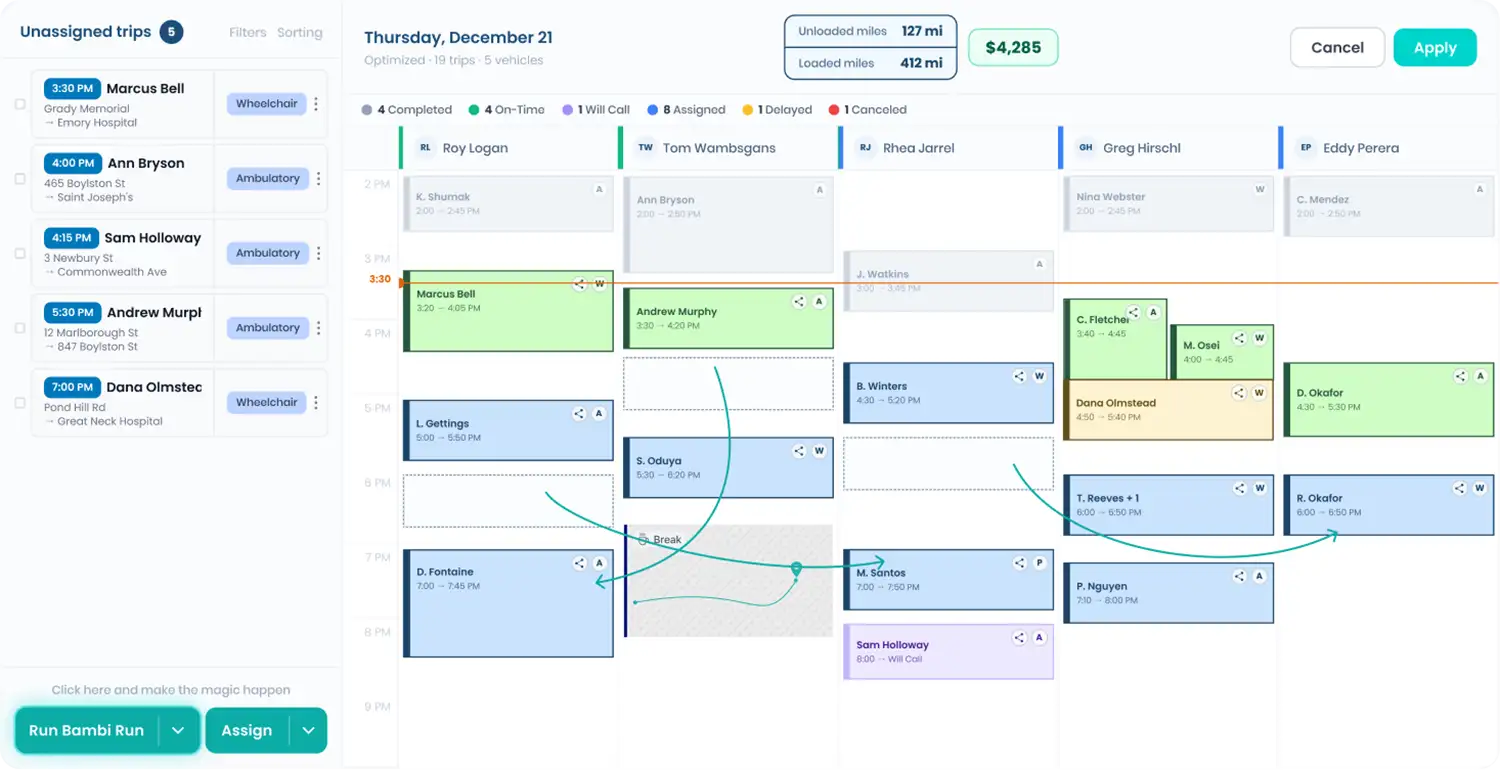
Most owners find out what Tuesday earned sometime around the following Friday. On the Fleet HQ dispatch screen, Bambi puts an estimated revenue figure at the top of every driver's column and a fleet total in the top right corner, and both recalculate the moment you move a trip. It's revenue, not profit, right where you dispatch.

Every feature in this part of Bambi
Assign the day. The dollars follow.
Find the indicator
On the dispatch screen, every driver's column shows an estimated revenue figure at the top. Before anything is assigned it reads $0, which is less a verdict and more an invitation.

Assign the trips
Drag trips onto drivers, or select all unassigned trips and press Run Bambi Run. Review the schedule it builds, click Apply, and the assignments are set.
Read the numbers
Each driver's figure updates to the estimated revenue they're scheduled to bring in. The combined estimate for your whole fleet sits in the top right corner of the dispatch screen.
Adjust and compare
Drag a trip from one driver to another and both numbers change on the spot, one up and one down. You see the revenue effect of a routing change as you make it.
What's inside Daily Revenue Estimates.
The money view that sits right where you dispatch.
Estimated revenue sits next to each driver's name, so you can see who carries the day and who has room.
Estimated revenue sits next to each driver's name, so you can see who carries the day and who has room.
Fleet-wide total
One combined revenue estimate for the whole fleet, shown in the top right corner of the dispatch screen.
Live recalculation
The number is quick on its feet. Move a trip and both drivers' estimates update instantly, with no refresh and no calculator.
Works with Run Bambi Run
Apply a one-click schedule from Run Bambi Run and the estimates fill in as soon as the assignments land.
Pricing-driven numbers
Estimates reflect the trip prices you set up in Get Paid, so accurate pricing schemes mean more useful numbers.
Revenue in Reports
When the day is done, Reports show estimated revenue by organization, driver, and payer, filtered by payer and date.
Bambi allows us to schedule and adjust rides quickly and easily. We can easily communicate internally all the people involved and the special needs of the passengers. We are able to bill and update payment information very easily.


Frequently Asked Questions
Ready to Run with Bambi?