One canceled trip can cost $45 to $85 and trigger missed pickups, driver idle time, and empty miles. If I run NEMT, the fix is simple: I need tech that prevents avoidable no-shows, sends trip changes into dispatch at once, updates drivers fast, and tracks what improves.
Here’s the short answer:
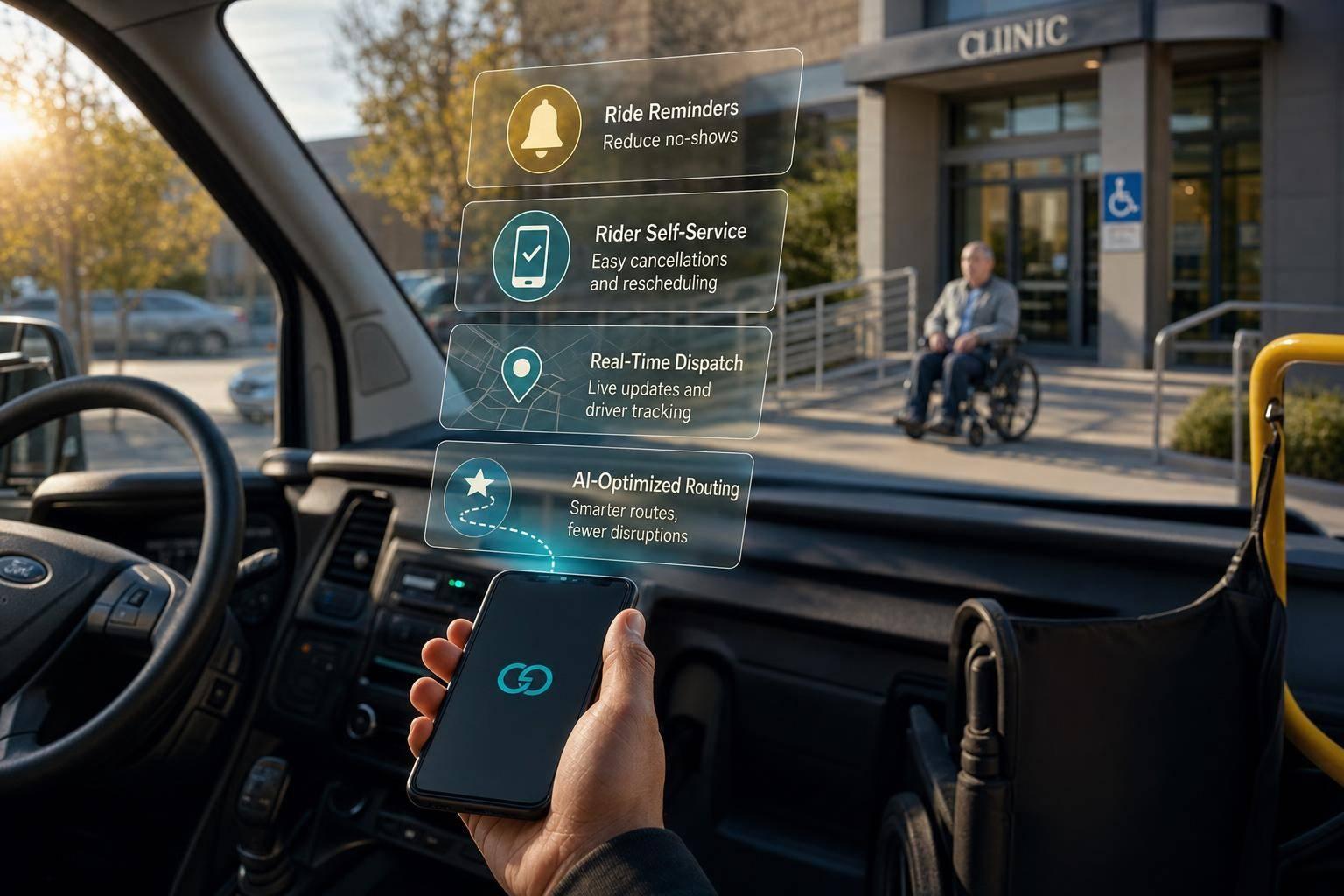
Map where trip changes first enter my workflow Use automated reminders at 48 hours, 24 hours, 1 hour, and 15 minutes Let riders cancel or reschedule on their own through portals or appsUse live dispatch tools to refill open trip slots fastKeep driver manifests current through a driver appUse route software and no-show risk alerts to cut empty miles and protect pickup windowsTrack results like cancellation rate, no-show rate, deadhead miles, and fleet use
The numbers explain why this matters. NEMT no-show rates often sit between 15% and 30% , and a provider running 1,000 trips per month at a 20% no-show rate could lose $9,000 to $17,000 per month .
NEMT Cancellation & Rescheduling: 4-Layer Tech Response System
Quick comparison
Area
What tech should do
Main result
Reminders
Confirm, cancel, or reschedule by SMS, call, or app
Fewer avoidable no-shows
Self-service
Send rider changes into dispatch at once
Less phone traffic, earlier refill chances
Live dispatch
Show canceled trips, open slots, and driver status live
Lower driver idle time
Driver app
Update manifests and route order at once
Fewer missed updates
Route/no-show tools
Rebuild routes and flag risky trips
Lower deadhead miles, better on-time trips
Reporting
Track reason codes and recovery time
Better staffing and trip rules
If I want fewer open trip slots and fewer same-day problems, I don’t just need a better schedule. I need a faster response system .
sbb-itb-6bd01f8
Start by mapping where cancellations and reschedules enter your process. Then follow each trip from booking to billing and note every place where time slips away. The point is simple: find the handoffs that fail when a trip changes.
Track where cancellations enter your workflow
Cancellation and rescheduling updates can come in from broker portals and APIs , call centers, facility portals, driver apps, or automated reminder replies. If those updates don’t land in one dispatch view fast, details get delayed or lost.
That handoff is often where a small update turns into driver idle time, missed pickups, and billing mistakes.
Use these checkpoints to spot where the update stalls.
Workflow Stage
Key Data to Capture
Common Bottleneck
Booking/Intake Authorization status, vehicle requirements
Trip changes are not updated in one system.
Confirmation Confirmation timestamp, rider response
Rider confirmation never reaches dispatch.
Pre-trip reminders Reminder timing, rider response
No reply to confirm, cancel, or reschedule.
Dispatch Time to reassign, deadhead miles
Driver does not acknowledge the update.
Trip closeout/billing Cancellation reason, facility billing rules
Cancellation reason never reaches billing.
Put dispatch first. Every delay there adds to driver idle time and leaves open trips sitting there unfilled. If dispatchers still need to call drivers to confirm trip changes, the gap between “assigned” and “received” slows the whole operation.
Compare your workflow to internal trip data and on-time benchmarks
After you’ve mapped the workflow, line it up against your own trip data and industry benchmarks. High-performing NEMT operations aim for 85% or better on-time performance and keep driver utilization above 70% .
Check fulfillment rate data by facility, driver, and time block every month using an NEMT operational efficiency checker . A monthly review helps you catch repeat failure points instead of treating each missed trip like a one-off.
"Individual no-shows are incidents. Patterns in no-show data are systemic problems with systemic solutions." - Ridevoy
Those repeat weak spots are the first places to automate. Once you can see where the process breaks, you can fix those gaps much faster.
Use automation to cut avoidable no-shows and open trips
Once you know where the workflow starts to slip, the next move is simple: stop avoidable problems before they land on dispatch. Automation helps on both sides. Riders get earlier notice, and dispatch gets more time to adjust.
Automated reminders and trip confirmations
A solid reminder flow should go out at 48 hours, 24 hours, 1 hour, and 15 minutes before pickup.
Reminder Timing
Purpose
Recommended Channel
48 Hours Before
Initial confirmation
SMS or email
24 Hours Before
Primary reminder
Automated voice call or SMS
1 Hour Before
"Be ready" alert
SMS or push notification
15 Minutes Before
Driver proximity notice
Automated voice call or SMS
Each message should spell out the pickup date, time, specific location or entrance, and a simple reply option like "Reply 1 to confirm, Reply 2 to cancel." That small interactive step does a lot of work. It lets the system update the dispatch board right away.
The reminder should also confirm mobility needs, including whether a wheelchair-accessible vehicle is needed. That helps catch vehicle-patient mismatches before the driver is sent out.
Two setup details often get missed:
Sending reminders in a rider’s preferred language removes a common point of friction that can lead to missed trips. And each automated message needs to avoid protected health information. Stick to the appointment time, pickup location, and confirmation steps.
If a rider still needs to make a change, self-service tools can move that update straight into dispatch instead of leaving it stuck in the phone queue.
Rider self-service for cancellations and rescheduling
Every rider change should reach dispatch in real time so the open slot can be reassigned at once. Automated reminders help cut no-shows, but they don’t solve the after-hours problem. If a rider needs to cancel or move a trip when the office is closed, rider portals and mobile apps handle that gap. When someone cancels or reschedules through a self-service tool, the update flows straight into the scheduling and dispatch tools in real time - no phone call needed.
That matters for two reasons. It cuts down call volume, and it gives dispatch a better shot at filling open trips before time is lost. Self-service portals can reduce dispatcher call volume by up to 60% . And when a cancellation comes in early enough, dispatch software can automatically assign a waitlist ride or move the driver to a nearby pending request.
The sooner dispatch gets the update, the sooner that empty slot can go back into use.
Use real-time dispatch and optimization to refill trips faster
After self-service records the change, dispatch needs tools that can reassign the trip right away . Once a cancellation hits dispatch, every minute counts.
Dynamic scheduling and live dispatch updates
When a rider cancels through a portal or reminder reply, the dispatch board should update at once. A real-time dispatch board shows vehicle locations, trip status, canceled trips, new requests, and open slots as they happen. When a cancellation comes in, the system can spot the nearest open driver and reassign them to nearby appointments or pending requests, which helps cut idle time and empty miles.
Good dispatch systems also apply matching rules on their own, like pairing riders with the right vehicle type and mobility equipment . That way, a fast reassignment fixes the immediate issue without creating a vehicle-rider mismatch.
This kind of speed matters most when a cancellation opens a gap in the middle of the day.
Feature
Manual Rescheduling
Dynamic Scheduling
Reaction Time Slow; requires phone calls and manual updates
Instant; automated alerts and live manifest updates
Dispatcher Workload High; every change needs hands-on coordination
Low; automated NEMT scheduling can reduce administrative workloads by 50%
On-Time Performance Reactive; missed windows are common
Proactive; real-time monitoring can flag at-risk rides before the pickup window is missed
Fuel/Maintenance Impact High empty miles from inefficient rerouting
Optimized to minimize empty miles
Driver apps that keep trip manifests current
Driver apps send changes at once, without phone calls. Once dispatch reassigns the trip, the driver app updates the manifest in real time. A solid driver app handles turn-by-turn navigation, two-way messaging, status updates, and digital signature capture without making the driver place or answer calls while driving. When a cancellation gets reassigned, the app reorders the rest of the route on its own. The driver sees the new stop order right away.
Once drivers get the update at once, routing software can rebuild the rest of the day around it.
AI route optimization and predictive no-show alerts
AI tools recalculate routes in real time to cut empty miles and protect priority trips when schedules move around. If a trip looks likely to fall through, the system should flag it early so dispatch can protect capacity.
By looking at historical trip data, these tools can flag rides with a high chance of no-show based on factors like facility, time of day, patient history, or weather sensitivity. Teams can then send an extra reminder or line up reserve trips instead of scrambling after the fact.
Metric
Basic Routing
AI Optimization
Avg. Miles per Trip Higher due to static sequencing
Lower; routes are continuously recalculated
Driver Idle Time High during cancellations
Low; gaps filled with nearby requests
Schedule Stability Brittle; one change disrupts the whole day
Resilient; automatically re-optimizes for changes
No-Show Prevention None; all trips treated equally
Predictive; flags high no-show risk in advance
When a driver sits idle waiting for a patient who never shows, that time is gone. You can’t use it on another trip. Spread that across dozens of trips in a day, and the lost revenue stacks up fast.
The next step is measuring whether those reroutes and reassignments are actually improving performance.
Measure results and roll out a practical implementation plan
Once dispatch and rerouting tools are in place, the next step is simple: check if they actually cut recovery time after a cancellation.
Track the metrics that show real improvement
After reminders, self-service, and dispatch automation go live, track whether they reduce the time between a cancellation and a reassignment.
Metric
What It Measures
Target Improvement with Tech
Cancellation Rate % of trips cancelled by patient or facility
30–50% reduction
No-Show Rate % of trips where the patient isn't at pickup
Up to 40% reduction with AI
Deadhead Miles Miles driven without a passenger
10–25% reduction
Fleet Utilization Trips completed per vehicle per day and billable output per vehicle hour
Improves as idle time drops
Review these numbers weekly by facility and monthly by time block. That rhythm helps you spot patterns without getting lost in the weeds. If the same trouble spots keep showing up, adjust automated text reminders , staffing, and trip rules.
Then use those results to decide which automation layer to expand next.
Roll out changes in phases and set clear policies
Roll changes out in phases: automated reminders first, then live dispatch and driver apps, then AI optimization and predictive alerts .
Don't flip the switch across the whole operation at once. Pilot each phase at one facility or with a small recurring-rider group first. That keeps disruption low while you fix early issues.
It also helps to set a few firm rules before launch:
Use a 24-hour cancellation rule.
Require a reason code for every change, such as Patient Illness, Facility Delay, or No Answer.
Those codes do more than tidy up reports. They turn cancellation data into something your team can act on again and again.
Conclusion: Build a faster response system, not just a better schedule
A better schedule helps. But by itself, it won't save the day when plans fall apart.
What protects revenue and on-time performance is how fast your team responds when a cancellation hits. Automated reminders stop part of the problem before it starts. Self-service tools surface changes early. Live dispatch and driver apps shrink the gap between a cancellation and a reassignment. AI optimization helps keep the rest of the day on track.
The biggest gains usually come from using all four layers together: prevention, visibility, speed, and measurement. That's how teams keep tuning the system based on what the numbers say.
"Every prevented cancellation means better patient care, stronger partnerships, and improved profitability." - Mike Author, NEMT Platform
The aim isn't a perfect schedule. It's a system that can take a hit, adjust fast, and keep moving.
FAQs
What tech should I implement first?
Start with ride reminders sent by text or phone call . They’re the best first move because they fix poor communication, which is one of the main reasons NEMT rides get missed.
Send confirmations and reminders 48 hours before pickup, 24 hours before pickup, and again shortly before the ride. That simple rhythm can cut no-shows by 20% to 30% . It also reduces back-and-forth work for your team and gives you more time to reassign drivers or fill open trips before a cancellation becomes a missed ride.
How do I connect rider changes to dispatch faster?
Connect your communication channels to your dispatch software to cut down on manual entry. AI-powered voice agents or two-way SMS can let riders cancel or reschedule, then update trip status on their own. That means drivers get freed up sooner instead of waiting on back-office updates.
A central dashboard should pull live updates from broker portals, facility web portals, and driver mobile apps. When all of that sits in one place, your system can trigger re-optimization workflows right away. Dispatchers can then reassign nearby drivers without rebuilding the whole schedule from scratch.
Which metrics show if cancellations are improving?
Track fulfillment rate over time to see if your work on cancellations and no-shows is paying off.
It also helps to review no-show and canceled-trip reports on a regular basis. Look at the reason and timing behind each case, then watch for patterns by facility, driver, time of day, day of week, accommodation type, and weekly fulfillment rate for each facility.
Related Blog Posts 


Comments
Lorem ipsum dolor sit amet, consectetur adipiscing elit. Suspendisse varius enim in eros elementum tristique. Duis cursus, mi quis viverra ornare, eros dolor interdum nulla, ut commodo diam libero vitae erat. Aenean faucibus nibh et justo cursus id rutrum lorem imperdiet. Nunc ut sem vitae risus tristique posuere.