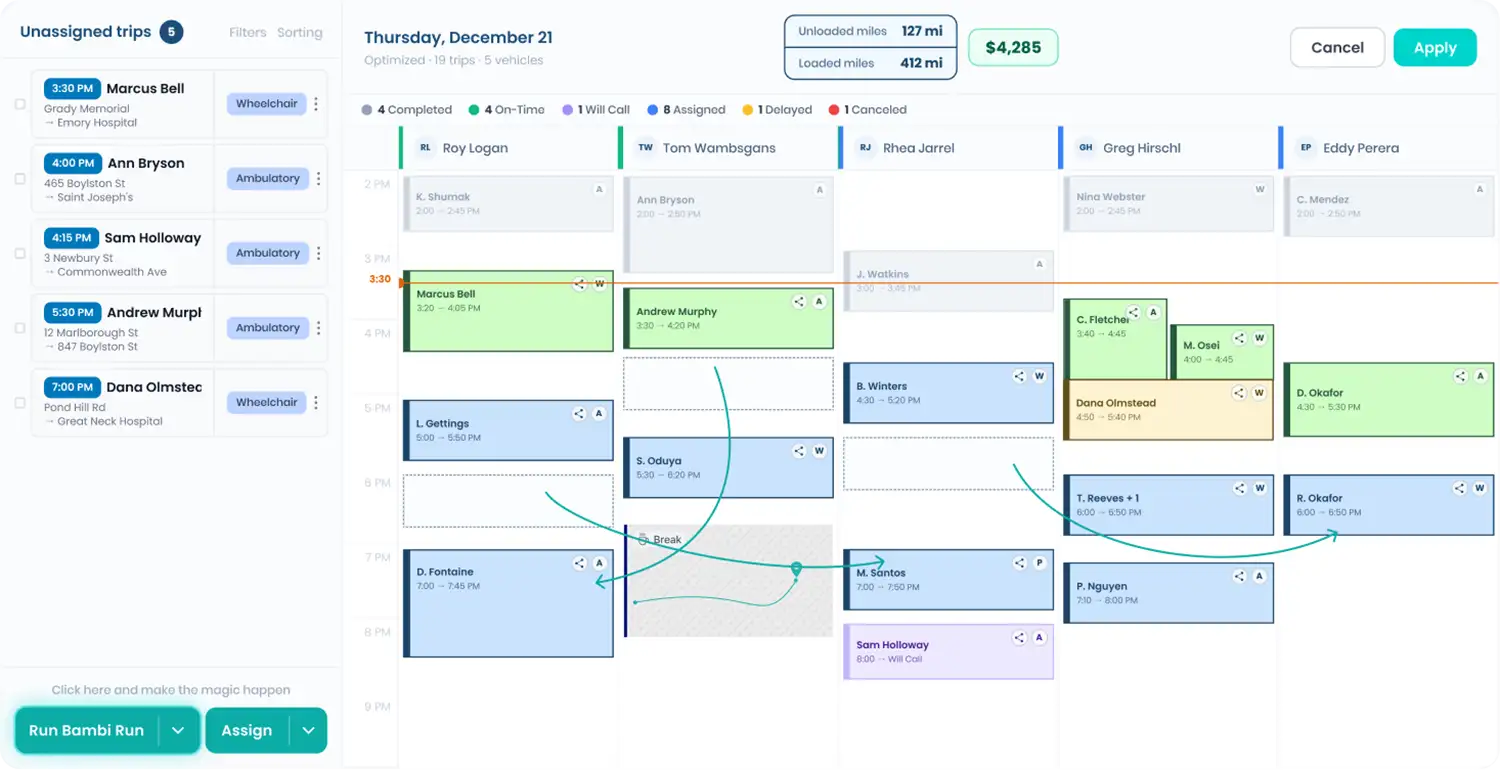
Color-coded passenger flags, right on the dispatch trip card.
Important passenger details shouldn't be buried in a notes field nobody opens mid-rush. Passenger tags put color-coded flags like Wheelchair or Pricing Confirmed right on the trip cards in Fleet HQ, and dispatch filters pull up only the trips that need the same handling, with a count of exactly how many are hidden.

Every feature in this part of Bambi
Tag the passenger. Filter the board.
Tag the passenger
Open a passenger, scroll to the Tags field just below Dispatcher Notes, and select one or more tags. Each one has its own color. Click Update Passenger to save.

See it on dispatch
Tags appear as colored pills on that passenger's trip cards in the unassigned list and the trip detail panel, so whoever is assigning sees the passenger's needs before the trip goes out.
Filter the board
Click Filters above the unassigned trips or above the assigned calendar, choose Passenger Tags, and apply. Search tags or select all to move fast. Only matching trips stay on screen.
Stack and clear
Passenger tag filters stack with payers, service types, statuses, and more. A badge on the Filters button shows how many are active, and chips let you drop one filter or clear them all.
What's inside Passenger Tags.
Context at a glance, minus the scavenger hunt through notes.
Mobility needs, behavioral flags, and billing status, each with its own color so the right one jumps out.
Mobility needs, behavioral flags, and billing status, each with its own color so the right one jumps out.
Tags column on Passengers
A Tags column on the Passengers grid shows every tag on every passenger, so your list doubles as a quick audit.
Unassigned trip filter
Narrow the unassigned queue to passengers with a given tag and work one group of trips at a time.
Assigned calendar filter
Filter the scheduled board by passenger tag to scan every Wheelchair or Pricing Confirmed trip on the day in one pass.
Filters you can trust
A green badge counts active filters and a line like Showing 2 of 5 unassigned trips tells you what's hidden.
Tags in trip exports
Tags come through as a column on the all-trip-details download, so they carry into your own reporting.
"Bambi gives us real-time visibility into every ride and keeps dispatch and drivers in sync. We stay on top of changes, adjust fast, and avoid delays. In a business where timing matters, that clarity makes a real difference."


Frequently Asked Questions
Ready to Run with Bambi?